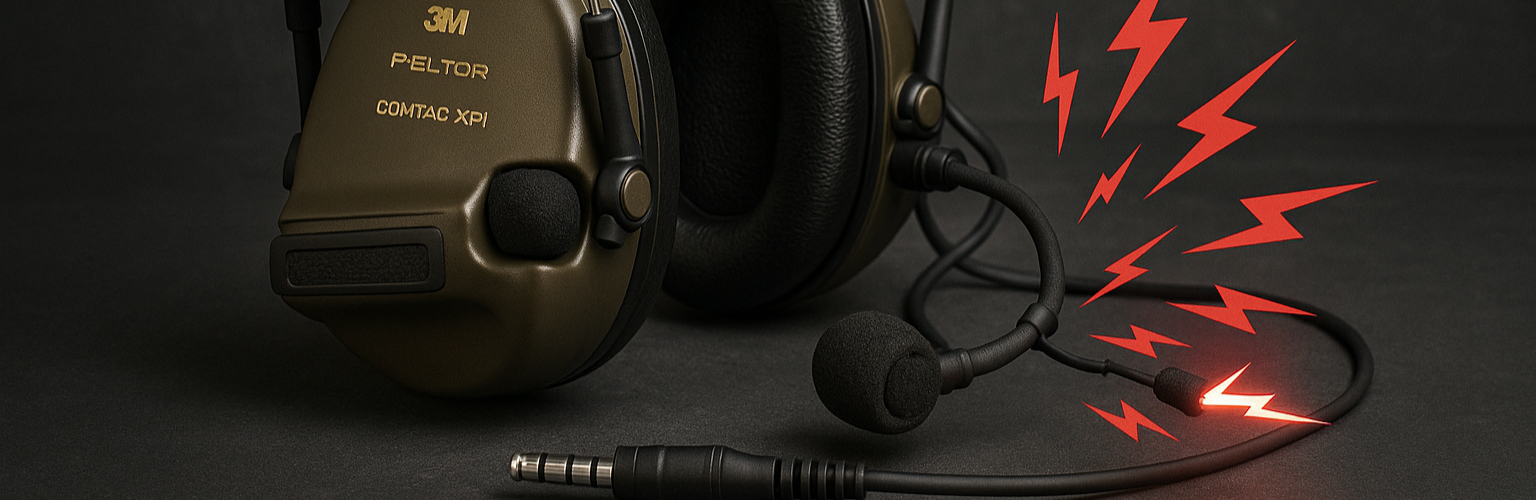
Whether you’re a professional or a recreational user, it’s common to run into audio malfunctions with an active hearing protection headset.
This guide aims to list the most common problems encountered in the field and offer simple, proven solutions. It will be updated as user feedback and new observations come in.
🔧 Problem 1: Why Is My Radio Audio Coming Out of the Mic?
This is probably the most common problem we have encountered, among professionals (law enforcement, military) and enthusiasts (airsoft, paintball, etc.) alike.
🩺 Diagnosis
Your headset and your PTT are not wired compatibly.
Typically, your headset is wired to the “PELTOR” (civilian) standard while your PTT uses the NATO standard — or the other way around.
💡 Solutions
- Buy an adapter cable that is compatible
- Replace the headset or the PTT
- Rewire it manually if you have the skills (see below)
👉 Here is an adapter cable compatible with PELTOR ↔ NATO (both directions):
Tactical radio audio adapter
🧠 Why Does This Problem Happen?
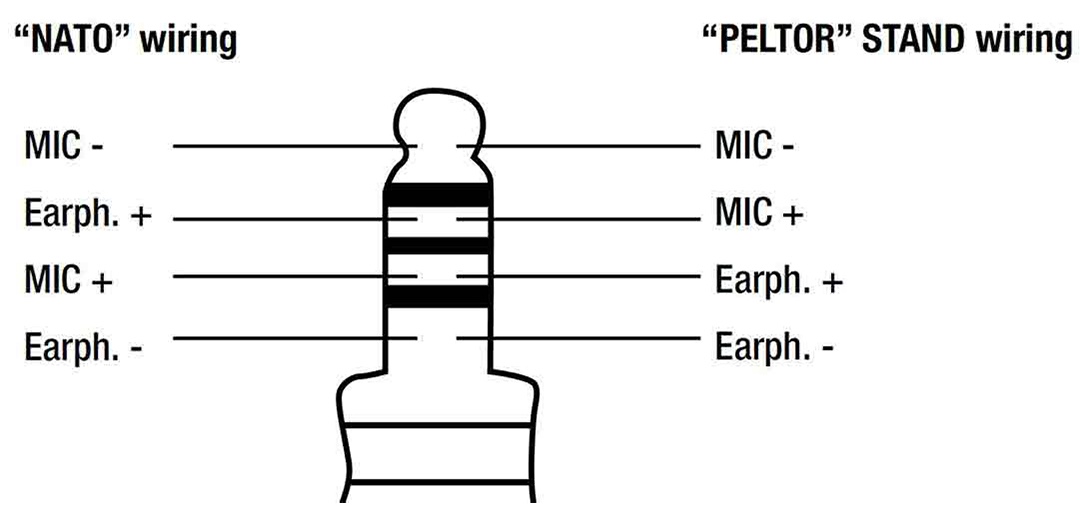
France is one of the few countries to have chosen, for its police and gendarmerie issue gear, 3M PELTOR headsets with “civilian” wiring (PELTOR type) instead of the NATO standard used by most international forces.
The difference is minor, but critical: the two positive poles of the mic and the speakers are swapped.
Here is a diagram showing the swap.
🔧 Advanced Solution: Manually Modify the Wiring
If you’re comfortable withelectronics and soldering, you can:
- Open the headset (⚠️ at your own risk)
- Swap the two wires involved
- Reapply conformal coating to the circuit afterward (important for moisture resistance)
This method has been widely used in theaters of operation where US PTTs (often NATO standard) are far easier to find, and cheap, on the secondhand market.
🔧 Problem 2: I Can Hear Transmissions, but Others Can’t Hear Me or I’m Too Loud
🩺 Diagnosis
Your active headset’s mic and your PTT are not compatible.
💡 Solutions
- Change the PTT
- Change the mic or the entire active headset
👉 Case 1 : My teammates can’t hear me or can barely hear me, and I want to change my PTT : choose an amplified PTT
👉 Case 2 : My teammates can’t hear me or can barely hear me, and I want to change my mic : choose a passive mic
👉 Case 3 : My teammates hear me way too loud, and I want to change my PTT : choose a non-amplified PTT
👉 Case 4 : My teammates hear me way too loud, and I want to change my mic : choose a dynamic mic (also called a “BOOM” mic).
🧠 Why Does This Problem Happen?
Dynamic mics need more power to work. So-called “amplified” PTTs are designed to power these dynamic mics. If an amplified PTT is connected to a passive mic, the signal is too “loud” because it gets boosted, and if a non-amplified PTT is connected to a dynamic mic, the signal becomes anemic.
Note: some links in this article may be affiliate links. Using them in no way influences our selection or recommendations.
Tags: active hearing protection problem, radio audio in headset mic, PELTOR NATO adapter, tactical headset malfunction, PTT headset fix